How to Enter Size and Color Attributes for Kids Optical Frames in POS?

Entering size and color attributes for kids optical frames in POS sounds simple — until a shipment from our factory arrives and the retailer’s system has no clean place to put the data.
To enter size and color attributes for kids optical frames in POS, create a Size attribute using eye size, bridge width, and temple length in millimeters, create a Color attribute using manufacturer color codes plus friendly names, then combine them into matrix variants so each size-color combination becomes one sellable SKU.
That is the short answer. But kids’ frames are not t-shirts. Fit depends on real frame measurements, and colorways must match what your supplier actually ships SKU codes 1. Below, I will walk through what to expect from a manufacturer, how to structure SKUs, which sizing standards to follow, and how far customization can go.
What Size and Color Options Should I Expect When Sourcing Kids Optical Frames from a Manufacturer?
A buyer from Australia once asked me why the same style number arrived in three different bridge widths. The answer: kids' frames scale by age group, not by a single size label.
Expect each kids optical frame style to come in one to three sizes, defined by eye size, bridge width, and temple length in millimeters, plus four to eight colorways per style, each identified by a manufacturer color code such as C1 or C2 rather than a plain color name.
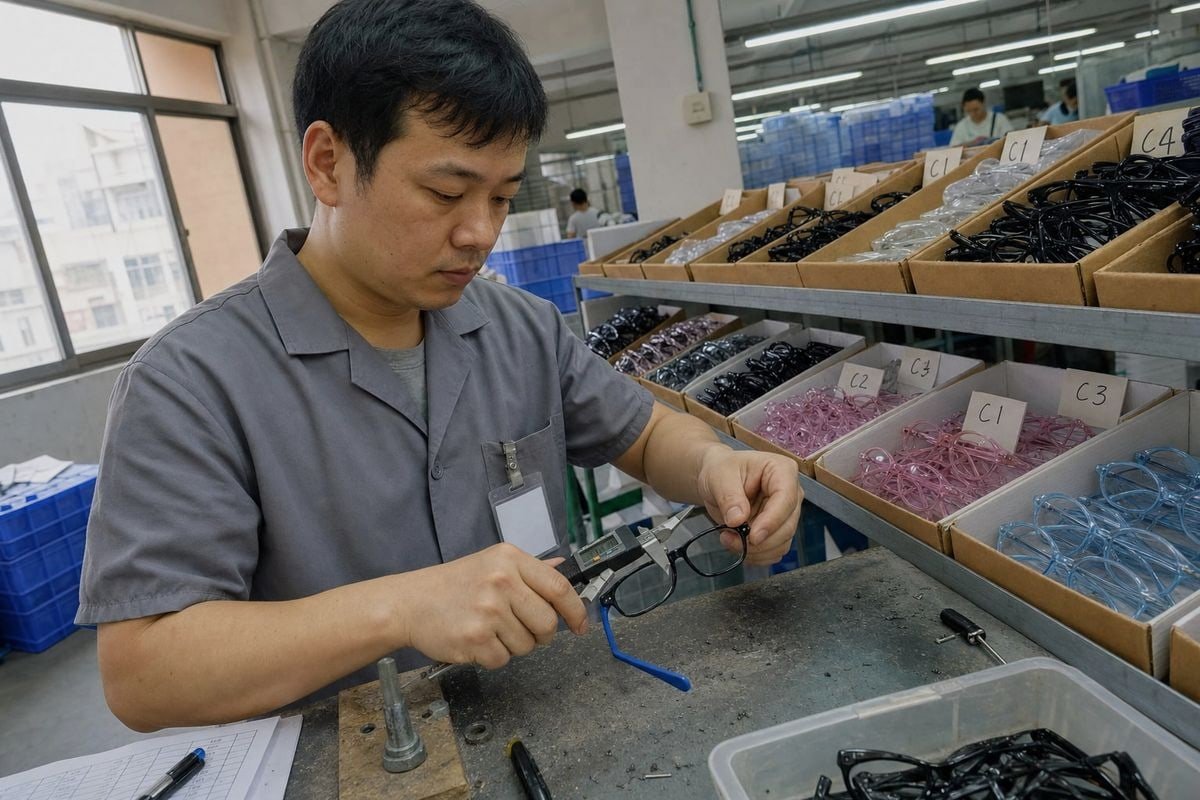
At our Taizhou factory, we keep around 800 existing styles in our eyewear product catalog, and almost every kids optical frame follows the same logic. A style has a model number. Under that model number sit sizes and colorways. Your POS setup should mirror this structure, because your reorders will reference it.
The Three Core Frame Measurements
Optical size is not one number. It is a set of frame measurements, usually printed on the temple arm:
| Measurement | What It Controls | Typical Kids Range |
|---|---|---|
| Eye size (A) | Lens width and overall frame scale | 40–48 mm |
| Bridge width (DBL) | How the frame sits on the nose | 14–18 mm |
| Temple length | Grip behind the ears | 120–135 mm |
Some optical POS software also tracks lens height (B measurement) and total frame width. If your system allows it, capture those too. They help with lens ordering and dispensing accuracy.
How Colorways Arrive from the Factory
Take one of our TR90 kids optical frames 2 as an example. A glossy black front with royal blue silicone temple tips might be coded C1. A translucent blush-pink acetate-look version of the same shape might be C4. Both are the same model. If your POS only stores "black" and "pink," your reorder email to us becomes a guessing game. Store the code and the friendly name together. That single habit prevents most sourcing mix-ups I see, and it keeps your eyewear inventory management 3 aligned with the factory's packing lists from day one.
How Do I Organize SKUs for Different Frame Sizes and Colors Before Listing Them in My POS System?
One trade-off comes up in nearly every onboarding call with new brand clients: simple size labels are faster at the counter, but detailed measurements prevent wrong dispensing. Your SKU logic has to serve both.
Organize kids frame SKUs as a matrix: one parent product per model, with child variants for each real size-color combination. Build SKU codes from model, size, and color code — for example, OK1023-46-C1 — so every variant is unique, scannable, and traceable back to the supplier.
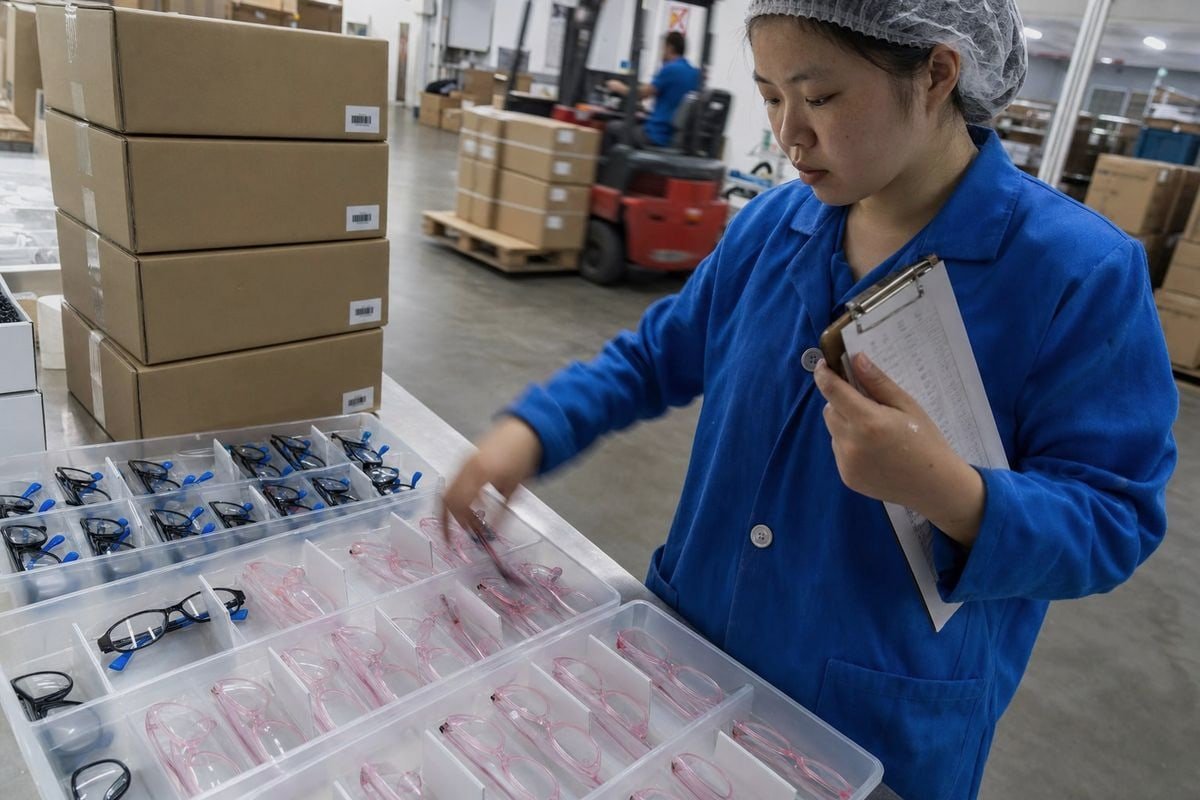
When we prepare a shipment, every carton carries a barcode tied to a model-size-color combination. Retailers who mirror that structure in their POS receive stock in minutes. Retailers who lump everything under one item spend an afternoon counting frames by hand. Good product variant management 5 starts before the goods arrive.
A Practical SKU Structure
Here is a SKU generation pattern that works in most POS platforms:
| SKU Segment | Example | Source |
|---|---|---|
| Model number | OK1023 | Manufacturer style code |
| Eye size | 46 | Printed frame measurement |
| Color code | C1 | Manufacturer colorway code |
| Full SKU | OK1023-46-C1 | Combined variant identifier |
The Matrix Setup Workflow
Most modern systems support matrix or variant products. The workflow is consistent across platforms:
- Create the attribute definitions — Size and Color — in the POS back office.
- Add only the values you actually stock. Duplicate values are usually rejected by the system anyway.
- Assign both attributes to the parent product.
- Generate variants, then delete impossible combinations. If the pink colorway only comes in size 44, do not let a 48-pink ghost SKU exist.
- Attach barcodes to each variant so barcode scanning works at receiving and at the sale.
Some retailers push back here. They want every measurement stored as its own attribute. I understand the instinct, but it slows the counter down. The practical balance: use size and color as the two variant axes, and store DBL, temple length, and lens height as informational fields on the variant. Staff pick fast; the technical data stays available for lens lab integration and reorders. Test the search screen before you roll this out to the full catalog — if staff cannot find the frame in five seconds, simplify.
Which Sizing Standards Should I Follow When Setting Up Kids Optical Frame Attributes for Different Age Groups?
Early in my time selling into Japan and Europe, I learned a hard lesson: an age label on a box is a marketing suggestion, while the millimeter measurements are the contract. Your POS should treat them the same way.
Follow millimeter-based optical sizing as your primary standard — eye size, DBL, and temple length — and use age-group labels only as a secondary, customer-facing guide. Typical bands are 40–43 mm eye size for ages 2–5, 44–46 mm for 5–8, and 47–49 mm for 8–12.

Children's faces vary widely within any age band. Our flexible TR90 and TPEE frames forgive some fit error because the material bends and recovers, but no material fixes a bridge that is 4 mm too wide. So the POS attribute setup should anchor to measurements, with age as a helper.
A Reference Sizing Table for POS Setup
| Age Group Label | Eye Size (A) | Bridge (DBL) | Temple Length | Notes for Staff |
|---|---|---|---|---|
| Toddler (2–5) | 40–43 mm | 14–15 mm | 120–125 mm | Look for flatter, wider bridge fit |
| Young child (5–8) | 44–46 mm | 15–16 mm | 125–130 mm | Most common reorder band |
| Older child (8–12) | 47–49 mm | 16–18 mm | 130–135 mm | Overlaps with petite adult sizing |
Keep Age Labels and Measurements Separate
Do not merge them into one attribute value like "Small (3-5yrs, 42mm)." It looks helpful, but it breaks filtering, confuses SKU generation, and makes future edits painful. Instead, set Size to the eye size value, and add an "Age Guide" custom field or tag. Optical practice management systems often link the chosen frame to customer prescription data, including pupillary distance 6, and that linkage depends on clean measurement fields — not a mixed text string. Store everything in millimeters, consistently, across the whole catalog. If one style uses "46" and another uses "46mm" and a third uses "Medium," your reports and reorders will fracture into three inconsistent groups. Pick one convention on day one and enforce it.
Can I Customize Color Codes and Size Labels to Match My Brand When Working with an OEM Supplier?
A children's brand from Europe recently asked us to rename our C1–C6 colorways to match their playful in-house palette — "Midnight Rocket" instead of C1 black-blue. We said yes, with one condition worth explaining.
Yes. A capable OEM supplier can print your branded color names and size labels on temples, tags, and packaging, and supply a mapping sheet linking your labels to factory codes. Your POS should store both: your brand label for customers, the factory code for reorders.
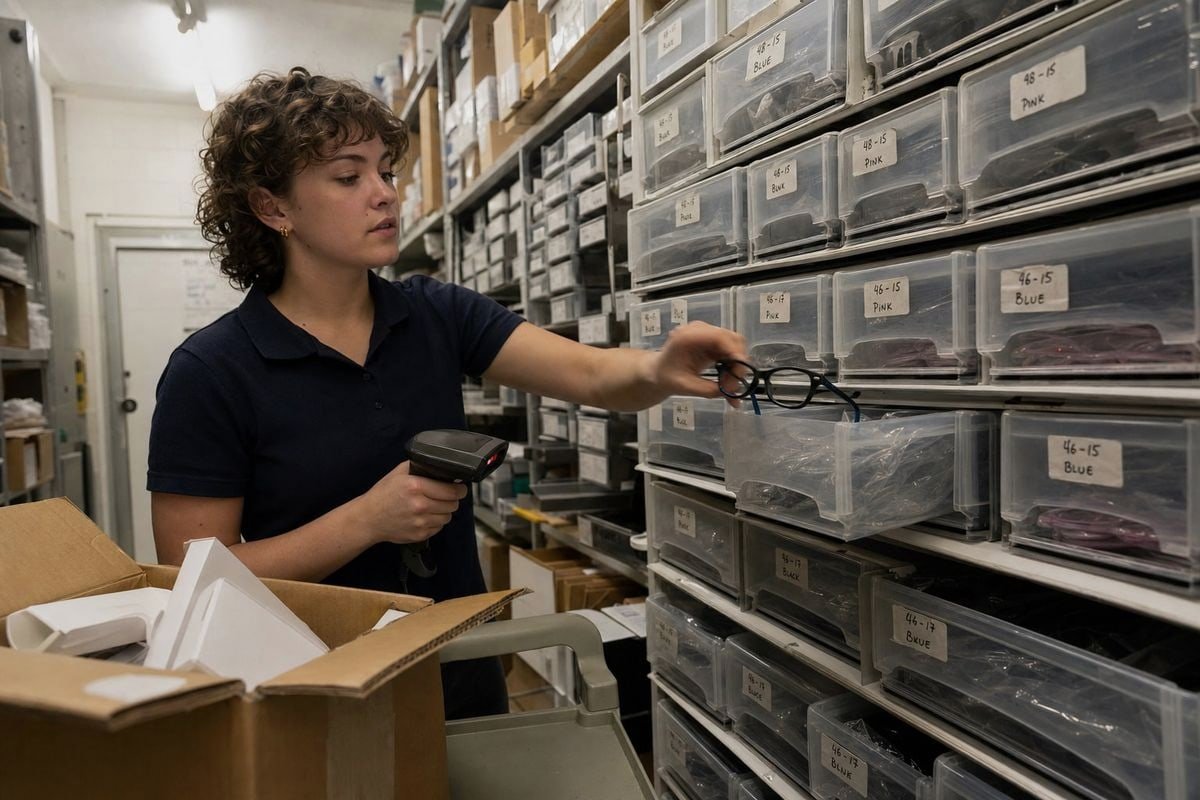
Full OEM/ODM support is one of the three things we lead with at OKAY EYEWEAR, alongside our flexible-material expertise and our existing-style library. Custom colors, logos, lenses, and retail-ready packaging are standard requests from the brands we serve across 20+ countries. But customization only works long-term if the data trail stays intact.
What Can Be Customized
- Colorway names printed on hang tags, boxes, and temple interiors.
- Custom Pantone-matched colors for TR90 fronts and TPEE temple tips, beyond our stock palette.
- Size labels — some brands prefer S/M/L on packaging while keeping millimeter marks on the frame itself.
- Barcodes pre-printed at the factory using your SKU logic, so barcode scanning at receiving matches your POS from carton one.
The Mapping Sheet Is Non-Negotiable
The condition I mentioned: every custom label must map back to a factory code on a shared spreadsheet. When you email us "Midnight Rocket, size M, 300 units," we translate it instantly to model-46-C1 and production starts without a clarification loop. Skip the mapping sheet, and a two-day order confirmation becomes a two-week back-and-forth. Load both identifiers into your POS: brand name in the display field, factory code in the supplier-reference field. This dual-coding also protects real-time stock visibility across multiple store locations, because transfers and reorders always resolve to one unambiguous variant. One more objection I hear: "custom codes lock us into one supplier." In practice, the opposite is true. A clean mapping sheet makes your data portable — you can hand it to any factory and get comparable quotes, while a POS full of vague color names cannot travel anywhere.
Conclusion
Messy frame attributes cause wrong orders, slow counters, and unhappy parents. Clean size and color setup — measurements in millimeters, coded colorways, matrix SKUs — fixes all three. Our team at OKAY EYEWEAR is glad to supply the mapping data that makes it easy.
Footnotes
1. Comprehensive definition and best practices for Stock Keeping Units. ↩︎
2. Details TR90 material benefits, specifically for kids’ eyewear. ↩︎
3. Provides a practical guide for managing inventory in optical shops. ↩︎
4. Explains key eyeglass frame measurements and their significance. ↩︎
5. Defines variant management and its applications in product lifecycle. ↩︎
6. Authoritative health explanation of pupillary distance and its importance. ↩︎
7. Provides a general definition of an Original Equipment Manufacturer. ↩︎
More Articles You Might Like

August 5, 2026
Bio-Based vs Regular Cellulose Acetate: What's the Difference for Kids' Frames?

August 5, 2026
How Recyclable Are Kids' Optical Frame Materials, and What Eco-Friendly Alternatives Exist?

August 5, 2026
Do Kids Optical Frames Whiten or Age in Storage, and How to Control Warehouse Conditions?
Looking for a Reliable Kids Eyewear Partner?
Explore 800+ ready styles and full OEM/ODM support tailored to your brand.
Get in Touch English
  Español de México
  Deutsch
  Français
  日本語
日本語  العربية
  Português do Brasil