How to Organize Kids Optical Frames Data for AR Try-On When Sourcing?
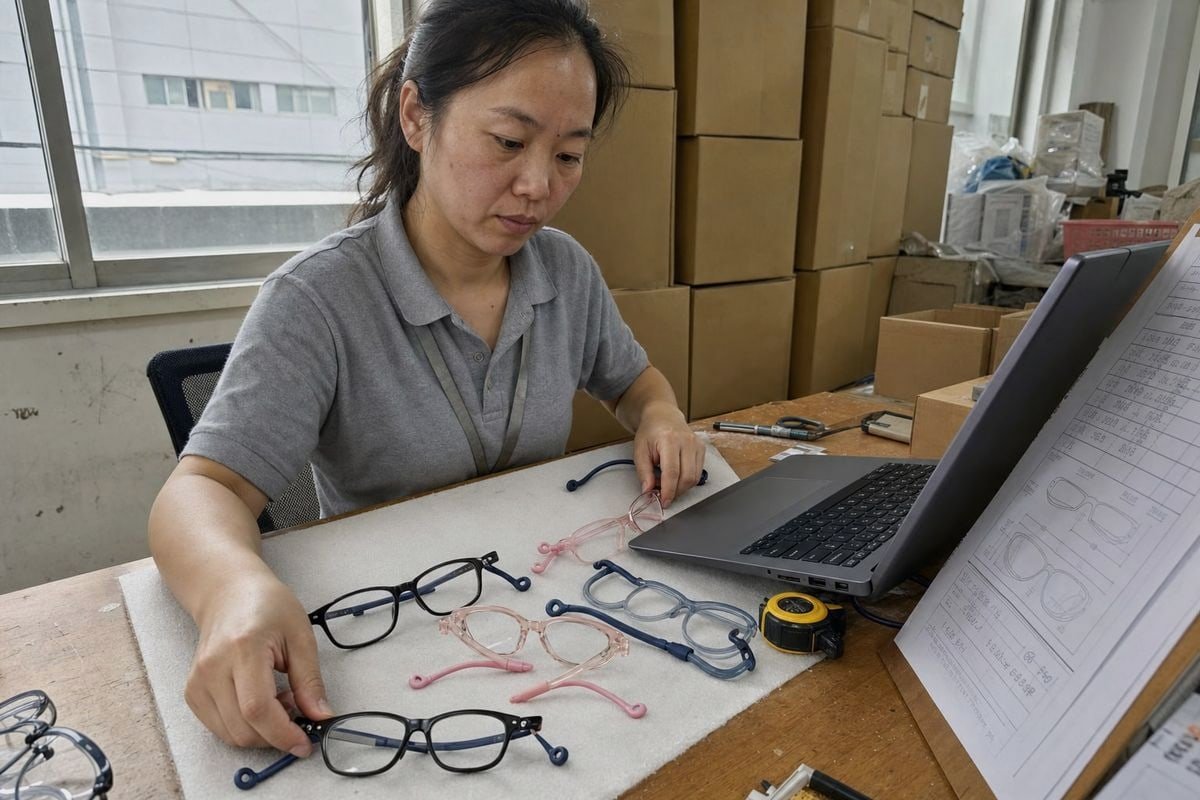
Organizing kids optical frames data for AR try-on nearly broke one of our buyers’ launches AR-ready 3D models 1. Messy supplier spreadsheets meant wrong sizes rendered on children’s faces — and returns piled up fast.
To organize kids optical frames data for AR try-on, build a standardized catalog covering brand, model, SKU, color, material, and full frame dimensions, tag each style with age and fit bands, then link every record to an optimized, correctly scaled 3D model in AR-ready formats.
That answer sounds simple. In practice, it means treating your sourcing sheet as both a commerce database and a 3D asset registry GLB or USDZ 2. Let me walk you through how we help buyers do exactly that.
What Product Data Do I Need From My Frame Supplier for AR Try-On Integration?
Last year, a European buyer asked our team in Taizhou for "everything needed for virtual try-on." We sent a structured data template instead of a price list — and it changed how they sourced.
For AR try-on integration, request structured product identity data (brand, model, SKU, supplier code), physical specifications (frame dimensions, weight, material), kids-specific fit attributes (age band, bridge fit), commerce data (price, availability), plus linked images and AR-ready 3D models for every variant.

The core mistake I see is treating AR data as an afterthought. Buyers collect normal e-commerce fields, launch the store, and then scramble for 3D models eyewear platforms can actually load. The better path is asking for both layers at the same time, in one structured feed.
The Two Layers of Data You Need
Think of every frame record as having a commerce side and a rendering side. The commerce side sells the product. The rendering side makes the virtual try-on software display it correctly on a child's face.
| Data Layer | Fields to Request | Why It Matters for AR |
|---|---|---|
| Product identity | Brand, model number, SKU, UPC, supplier reference | Links the 3D asset to the correct sellable item |
| Physical specs | Lens width, bridge width, temple length, frame height, weight, material | Drives scale and positioning in the AR scene |
| Kids fit data | Age band, face-width range, bridge support notes, flexibility rating | Filters compatible frames before try-on begins |
| Commerce data | Cost, retail price, stock status, active/discontinued flag | Prevents dead styles appearing in try-on |
| Media assets | Product photos, texture references, 3D model files | Feeds the eyewear digitization process |
Take one of our own styles as an example: a glossy black rectangular kids frame with two-tone navy TPEE temple arms and looped rubber ear grips. For AR, the buyer needs more than "black, kids size." They need the exact temple curvature, the flexible material behavior, and the true frame dimensions, or the rendered frame will sit wrong on screen.
One more point from our export experience: ask for safety and compliance data in the same feed. Parents care whether a frame is impact-resistant and made from safe, environmentally friendly materials. Recording certifications alongside product data keeps your listings credible and your sourcing audit-ready.
How Can I Get Accurate Measurements for Kids' Frames That Fit Different Face Shapes?
There is a trade-off we weigh in every kids project: children's faces vary enormously by age, yet buyers want simple size labels. Our answer is measuring precisely first, then grouping second.
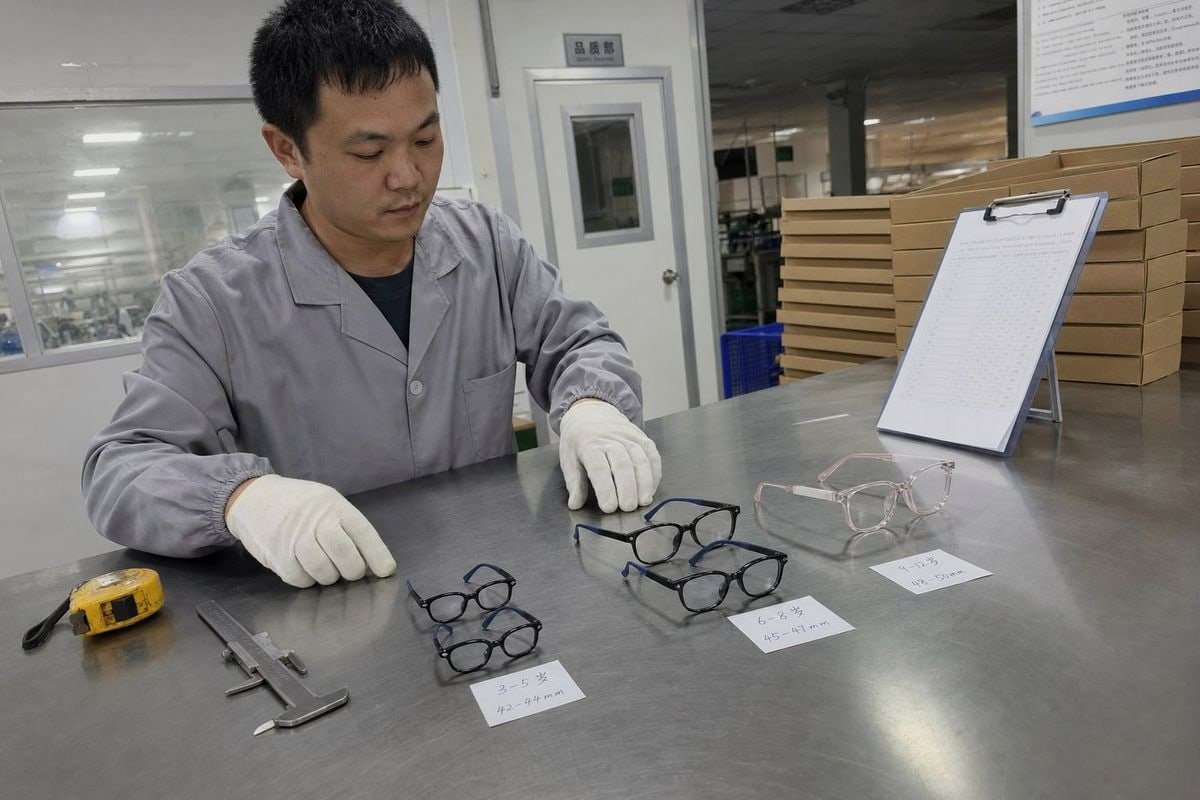
Get accurate measurements by requesting exact millimeter values for lens width, bridge width, temple length, and frame height directly from the factory, then map each frame to age bands and face-width ranges so AR fit logic can match frames to real children's faces.
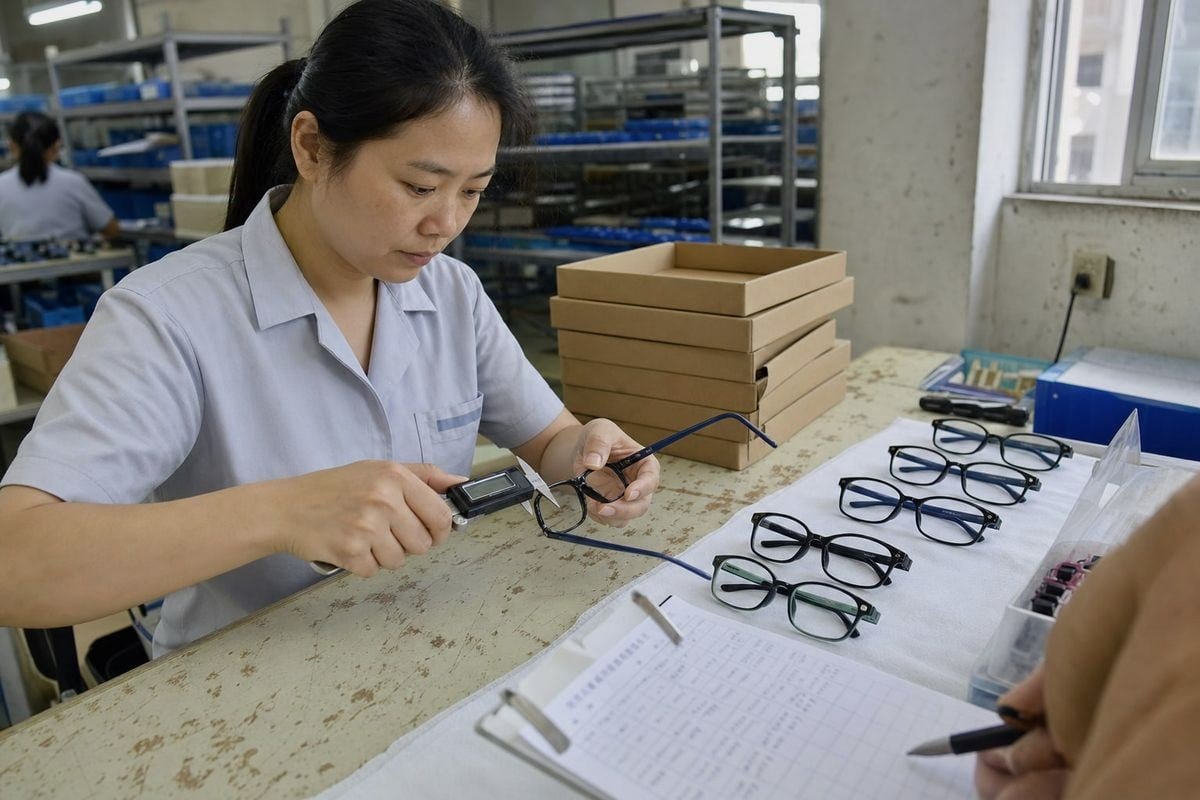
Kids' frames are not just smaller adult frames. That is the single most important lesson from our fifteen years making children's eyewear. A five-year-old's bridge is flatter. Temple length changes fast between ages four and ten. If your data ignores this, your AR try-on will look wrong even when the 3D model is perfect.
Measure First, Then Build a Size Taxonomy
Never store size as free text. "Small," "S," and "kids small" from three suppliers will create duplicate, unfilterable entries. Instead, record real measurements and assign controlled size buckets. AR systems that filter by size categories depend on this discipline: they compare the child's measured face data against your stored ranges and show only compatible frames.
| Age Band | 一般的なレンズ幅 | Typical Bridge Width | 一般的なテンプルの長さ |
|---|---|---|---|
| 2–4 years | 38–42 mm | 14–16 mm | 115–120 mm |
| 5–7 years | 42–46 mm | 15–17 mm | 120–125 mm |
| 8–10 years | 45–48 mm | 16–18 mm | 125–130 mm |
| 11–13 years | 47–50 mm | 17–19 mm | 130–135 mm |
Treat these as reference ranges, not rules. We always confirm real measurements per style, because a flexible TR90 frame with TPEE temples can fit a wider range than a rigid acetate frame of the same nominal size.
Connect Measurements to Face-Matching Logic
Modern virtual try-on tools use facial recognition technology to map the child's face and estimate key values, sometimes including pupillary distance measurement for optical accuracy. Your job on the data side is to give that system something to match against. For each frame, record a recommended face-width range and bridge fit notes. Then the AR layer can narrow eight hundred styles down to the twenty that will genuinely fit — which is better for parents, better for conversion, and better for returns.
Which File Formats and Specs Should I Request for AR-Ready 3D Models?
A buyer from Japan once sent us beautiful CAD files that no try-on platform could use. The models were accurate but far too heavy for real-time rendering. That project taught me to specify formats upfront.
Request 3D models in GLB or USDZ for web and mobile AR, with OBJ or FBX as editable masters, keeping each optimized model under roughly 50,000 polygons with PBR textures, real-world millimeter scale, and consistent orientation for reliable placement.

File format decisions determine whether your try-on works on a parent's phone in a hallway, or only on a workstation. Here is how I break it down for buyers starting the eyewear digitization process.
Format Comparison at a Glance
| Format | 最適な用途 | 注記 |
|---|---|---|
| GLB | Web-based AR, Android | Compact, single-file, the workhorse for browser try-on |
| USDZ | iOS Quick Look, Apple AR | Required for smooth iPhone and iPad experiences |
| FBX | Master/editing file | Keeps rigging and materials for future edits |
| OBJ | Universal exchange | Simple geometry transfer, textures handled separately |
Ask your supplier or digitization partner for both a master file and optimized delivery files. The master preserves detail. The optimized versions guarantee lightweight, real-time performance across devices.
Specs That Actually Matter
Beyond format, specify these in your purchase order or asset brief:
- True scale. The model must match the physical frame dimensions in millimeters. A 2 mm error is invisible in a product photo but obvious on a child's face in AR.
- Polygon budget. Optimized try-on models should stay lightweight. Heavy models cause lag, and children will not sit still through a slow load.
- PBR textures. Materials like our translucent blush-pink acetate style need transmission and roughness maps to look right — semi-transparent finishes are notoriously hard to fake.
- Consistent pivot and orientation. Every model should use the same origin point at the bridge, so the try-on engine positions all frames identically.
- Version naming. Tie the 3D file name to the SKU and colorway, so your digital asset management system 3 never mismatches model and product.
For flexible frames, also note material behavior in metadata. TPEE temples flex outward on wider faces; a rigid render can misrepresent real-world fit, so a fit note in the product record protects the customer's expectations.
How Do I Organize Sourcing Data From Multiple Frame Styles Into One AR-Compatible Database?
With around 800 existing styles in our catalog, we learned database discipline the hard way. When buyers pick thirty styles across several collections, only a governed structure prevents chaos downstream.
Consolidate multi-style sourcing data by importing all supplier feeds into one master catalog with normalized fields, controlled size and material vocabularies, unique SKUs per variant, linked 3D assets per record, one designated catalog owner, and scheduled audits for discontinued styles.
The goal is a single source of truth. Every frame should answer three questions from one record: What is it? Will it fit? Can the system render it? Here is the layered model I recommend to buyers building their first AR-compatible database.
A Layered Data Model That Scales
| レイヤー | 目次 | Owner |
|---|---|---|
| Identity | Brand, model, SKU, supplier code | Procurement |
| Specification | Dimensions, material, weight, hinge type | Product development |
| Kids fit | Age band, fit band, face-width range | Product development |
| AR assets | File formats, scale factor, texture set, version | Digital/3D team |
| Commerce | Price, cost, stock, lifecycle status | Merchandising |
| Content | Photos, copy, safety badges, category tags | Marketing |
This separation matters because different teams update different layers at different speeds. Prices change weekly; frame dimensions never change; 3D assets get versioned when colorways refresh. Applying consistent metadata standards across layers keeps searches, filters, and e-commerce integration reliable.
A Practical Governance Workflow
Follow a repeatable loop for every new style:
- Receive the supplier's structured feed and normalize units, color names, and size values.
- Assign a unique SKU per color and size variant — never share SKUs across colorways.
- Verify that every record has a linked, QA-checked 3D model, or a confirmed digitization plan.
- Activate the frame only when data, assets, and stock all align.
- Flag discontinued styles immediately so they vanish from try-on, not just from the shelf.
- Re-audit quarterly, especially after seasonal color refreshes.
One caution I share with every buyer: some teams want an asset-first approach, uploading 3D models before the catalog exists. In our experience, catalog-first wins. Assets without structured records become orphaned files nobody can trace. And because kids' try-on may involve facial mapping, keep any captured face data minimal, purpose-limited, and compliant with child-privacy rules in your market. Trust is the product when you sell to parents.
結論
Messy sourcing data quietly kills kids AR try-on projects. The fix is structure: one catalog, measured fit data, AR-ready 3D assets, and disciplined governance. Get the data right, and the try-on sells itself.
脚注
1. Details 3D model requirements and optimization best practices for augmented reality experiences. ↩︎
2. Replaced with the official Khronos Group page for glTF (which GLB is a binary form of), an authoritative source for 3D model formats relevant to AR. ↩︎
3. Defines a Digital Asset Management (DAM) system as a tool for organizing, storing, and managing digital files. ↩︎



 English
  Español de México
  Deutsch
  Français
  日本語
日本語  العربية
  Português do Brasil